
diados
Extension of the Day

diados

5.0 FREE
  • Screenshot 1

Description

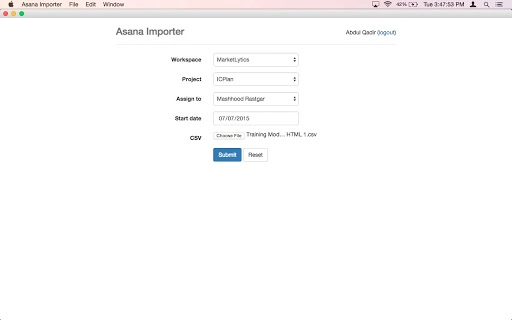
** You can use Asana Personal Access Token for authentication instead of the API Keys - follow the same link **Asana Importer is a simple chrome app which allows you to import your CSVs (not XLS files) into Asana. The CSV can be a simple list, or a more complicated pre-defined format which allows you to set tags, sub-tasks and deadlines as well. From the interface you can assign to people in specific workspaces or projects.Sample CSV file to see what the upload format is please see the following file: http://recurship.com/s/AsanaImport-Sample-File.xlsxChangelog:v16- Bug fixes- You can now fetch all projects- Search projects in the field- Sorted by name- More descriptions on getting tokens and sample filesv12:- Fixed showing of subtasks in main view- Fixed ability to assign to noone- Fixed issue where tasks fail due to API limits

Guides & Tutorials for Asana Importer App for Chrome

How to install Asana Importer App for Chrome
  1. Click the Preview / Download button above.
  2. Once redirected, accept the terms and click Install.
  3. Wait for the Asana Importer App for Chrome download to finish on your device.
How to use Asana Importer App for Chrome

This software is primarily used for its core features described above. Open the app after installation to explore its capabilities.

User Reviews for Asana Importer App for Chrome 0

    No reviews found

Similar Apps


